How to create a "New"
File Folder.....
1
- Let's assume you already
have a folder on your desktop that you keep your individual home
listings or vehicle pictures folders in and you want to create a new folder inside of this
folder.
2 -
Left "double"
click this folder.
This will open that folder and show all the separate folders you have stored
there.
3 - (See example below)
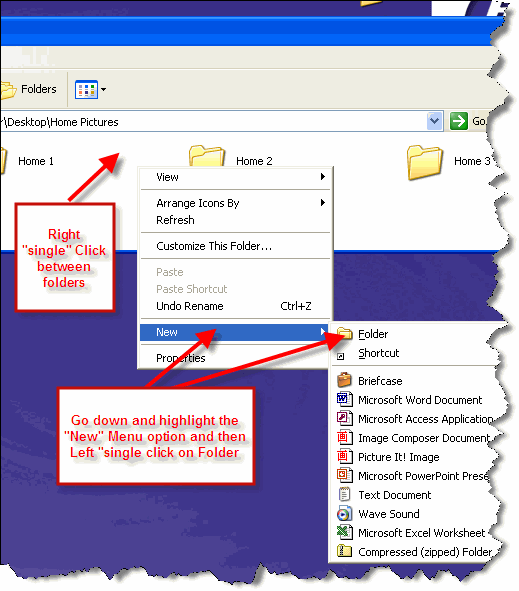
Once your home or vehicle folder is open showing all the other individual home
or vehicle folders you
need to "right" click between two existing folders to display the popup menu. Then highlight the "New"
selection and another menu will appear. Click on the "Folder" choice.
4 -
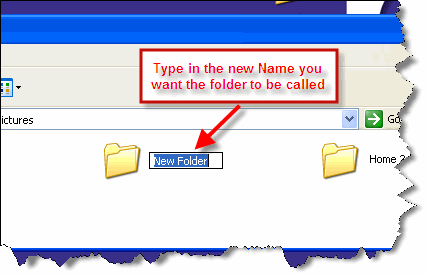
Type in the name you want to call this folder in place of the
New Folder.
After you get the New Folder renamed you are
ready to copy pictures from your camera into the folder.
 Quik-Info

